
What Does AI Code Look Like? A Simple Explanation

AI-generated code usually looks like ordinary code in a familiar language such as Python, not like a special language called “AI.” Developers use these tools to save time, and a business may use them to build software faster. The code itself can look much like work written by a person.
An assistant’s output is ordinary programming code. A trained model’s learned behavior is held in numerical parameters and software. Appearance alone cannot prove who wrote a piece of code. You will see a practical example and learn what to inspect instead.
Key Takeaways
- AI-generated code is usually standard source code.
- A trained model’s behavior is represented by learned numerical parameters.
- A code sample cannot prove whether a person or model wrote it.
- AI coding tools can help developers, but their output needs review.
- Separate the code that builds an AI system from the code a model writes.
The useful first question is whether you mean code an AI wrote or the code that makes an AI system work.
What Does AI Code Look Like in Practice?
A Python file that builds a neural network can look as familiar as a few imports, layer definitions and a model-configuration call. A generative AI code example can also be a simple function produced by an assistant. Both are readable code, but they do different jobs.
A model definition describes a system; it does not show every value the trained system has learned. For example, a short Keras model uses 784 input features, hidden layers of 64 and 32 units, and 10 output classes. The inputs could represent image pixels, while the outputs could represent ten possible labels.
In that example, each hidden layer helps the model find patterns in the input. The output layer assigns scores to the possible classes. The function used to define the model is software that sets up those parts, not a transcript of the model’s internal learned values.
A readable code sample shows the program’s structure, not every value learned during training.
Compare that with a function an assistant might write to format a user’s name. The function could trim extra spaces, capitalize the first letter and return a greeting. Its output is ordinary Python code, but the function itself is not necessarily an AI model.
That distinction matters when you inspect a file. A model definition sets up layers and connections, while a helper function performs a specific task. Both can sit in the same software project, and both may be short enough to read at a glance.
A readable snippet shows the structure of the program, but not the learned values that shape a trained model.
How Does AI Code Generation Work?
A model does not retrieve a finished answer from a hidden folder; it calculates likely output from its learned parameters and the context it receives. The inference process is using a trained model to produce output from an input. Each answer depends on learned patterns and the prompt.
From training examples to learned weights
During training, a model sees examples and adjusts numerical parameters to improve its predictions. Those adjustments happen many times. The learned values are often called weights, and together they shape how a model responds.
GPT-3, released in 2020, had 175 billion parameters arranged in 577 tensors. Its reported size was about 350 GB, and its first matrix had 50,257 rows and 12,288 columns. Those GPT-3 model figures describe one model, not a template for every system.
Transformer models turn input tokens into numerical embeddings, which represent pieces of text as numbers. They add positional information so the model can track word order. Self-attention helps the model weigh how different tokens relate to one another.
From a prompt to the next token
When a coding tool receives a prompt, it breaks the text into tokens. The model calculates scores, called logits, for possible next tokens. Softmax turns those scores into a probability distribution, which helps select a likely next token.
A code-generation process can be understood in four stages:
- Provide a prompt and relevant editor context.
- Convert the input into tokens.
- Calculate likely next tokens.
- Continue until the response is complete.
The model repeats its prediction step to form a longer response. Context can include code already open in an editor, so a tool may produce output that fits nearby functions. A survey of large language model code generation reviews these methods and their limits.
The generated text is a prediction shaped by training and context, not a guarantee that the program’s logic is correct.
How Is AI Code Different From Traditional Software?
A traditional program follows rules a developer writes, while a machine-learning model learns patterns from examples and uses them to make predictions. The source of its behavior differs, though both depend on software. Explicit rules are often easier to trace than learned patterns.
A developer could write a rule that says, “if the account is inactive, deny access.” The condition and result are visible in the code. In machine learning, examples and answers can help a model learn patterns that support a prediction or rule.
Both approaches still use ordinary programming languages and software. A machine-learning system needs code to load data, run a model and handle its output. Developers may also write rules around the model to control what happens next.
Learned parameters can make a model’s specific behavior harder to interpret than a short rule-based function. If a prediction seems wrong, you may not find one clear instruction that caused it. The model’s behavior reflects many learned values working together.
Those choices can affect accountability when software guides a business or public service. Questions about bias and transparency also shape technology’s effects on society. The distinction is useful when deciding which parts of a system need a clear explanation.
The key difference is where behavior comes from, explicit instructions or patterns learned during training.
What Does AI-Generated Code Look Like in a Codebase?
A generated file may look unusually polished, with repeated patterns and comments that explain obvious lines rather than project decisions. These clues are weak, because teams often share the same habits. No single style feature proves who wrote the code.
Comments and naming
A comment that says “increase count by one” above a line that does exactly that adds little. A useful comment explains a project-specific choice, such as why a service retries only twice. That reason may not be clear from the code itself.
Long, evenly descriptive names can be a weak clue when they appear throughout a file. A person may choose the same naming style to help a new teammate. A team guide can also encourage names that spell out each role.
Formatting and code shape
Formatting can make human-written and AI-generated code look alike. Black and Prettier apply consistent rules to Python and JavaScript code. A formatter can remove many visual differences between separate writers.
Repeated function shapes, unused imports and boilerplate may be worth checking. Yet a developer may copy a known pattern across similar tasks, or a tool may create boilerplate for a framework. Consider the wider codebase before drawing a conclusion.
| Clue | What it might look like | A reasonable human explanation |
|---|---|---|
| Generic comments | Comments restate each line | Generated documentation |
| Uniform naming | Long names follow one pattern | Team style guide |
| Repeated boilerplate | Functions share the same layout | Copied project template |
A close read can reveal whether comments explain design choices and whether repeated code fits the task. Compare the file with nearby work before treating a pattern as unusual. Treat any single style clue as a reason to inspect the code, not as proof of its author.
What Languages and Tools Are Used to Build AI?
AI code can be written in ordinary programming languages, with Python a familiar choice in many machine-learning examples. There is no dedicated AI language that every system uses. Languages, libraries and trained models are different things.
Python is common in learning materials and prototypes because many tools support it. Lisp and Prolog are also programming-language examples used in AI. Other languages may suit a product’s existing software or its production needs.
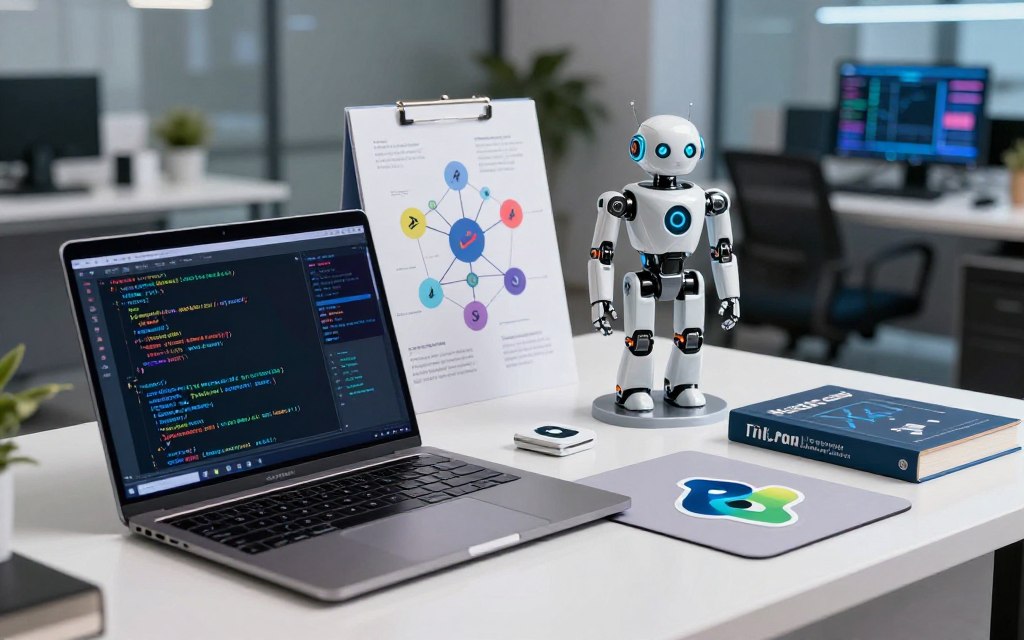
A library gives developers ready-made functions for tasks such as image processing or model training. TensorFlow, PyTorch, OpenCV, Keras and NLTK are libraries or tools, not programming languages. They help developers build or run parts of a system.
Code-generation models are trained systems that can produce or work with code. CodeBERT, CodeT5, PaLM-Coder, AlphaCode, CodeGemma and Code Llama are examples of transformer-based models. They are not languages that developers type commands into.
| Category | Examples | What the category does |
|---|---|---|
| Programming languages | Python, Lisp, Prolog | Express instructions for software |
| Libraries and tools | TensorFlow, PyTorch, OpenCV, Keras, NLTK | Provide functions for building software |
| Code-generation models | CodeBERT, CodeT5, PaLM-Coder, AlphaCode, CodeGemma, Code Llama | Generate or process code |
A project can combine several categories. For example, a developer may write Python that calls a library and sends data to a trained model. The surrounding software may also use another language for a website or mobile app.
A model name identifies a trained system, while Python or Prolog identifies a language used to build software around it.
Who Writes AI Code, and How Can Beginners Start?
Humans write the software, training systems and product code that make AI tools work, and beginners can start by learning Python fundamentals. People remain involved in choosing training methods and reviewing results. A model learns its parameters from data, while people build the system around it.
A beginner’s path into AI coding
Learning AI coding as a beginner works best when you build skills in steps. Start with code you can run and explain, rather than a large model with many moving parts.
- Learn basic Python, including variables, loops and conditions.
- Practice functions and data structures such as lists and dictionaries.
- Try a small classification or text task with a clear result.
- Learn to test your code and explain what the result means.
These tasks teach you how data enters a program and how its output gets checked. You can then study how a model differs from the functions that prepare its input. A small project also makes errors easier to find.
The people behind AI systems
Software developers build applications and product features, while AI engineers may connect models to real software. Machine-learning engineers focus on training, testing and running models. Job titles overlap, so compare the duties before comparing pay.
The U.S. Bureau of Labor Statistics reported a May 2024 median wage of $133,080 for software developers. A 2026 U.S. salary guide gives AI engineers a base-pay range of $145,000 to $310,000. Senior machine-learning engineers in San Francisco and New York can exceed $400,000 in total compensation with equity.
ChatGPT can generate code, but it does not autonomously author and maintain its own underlying system. People write surrounding software, choose training methods and review model outputs. Those roles contribute to a wider shift in work as technology changes business needs.
Compare salary figures only after matching the job title, year, location and base pay or total compensation.
How Do Developers Use AI Coding Tools?
A coding assistant can suggest the next line, turn a written instruction into a function or help revise code in a chat. Each method fits a different moment in a developer’s work. Using or planning to use a tool does not mean using it daily.
Autocomplete offers code while a developer types. A comment can give a tool a natural-language instruction, such as “sort these records by date.” A direct chat request can ask it to write a function, explain an error or revise existing code.
Developers may use these tools to draft boilerplate, translate a small function into another language or suggest tests. A tool can also help explain code that is unfamiliar. The developer still needs to judge whether the result fits the task.
In the 2025 Stack Overflow Developer Survey, 84% of developers said they were using or planning to use AI tools in their workflow. Daily use reached 51% of professional developers in the same survey.
That survey also found 66% were frustrated by answers that were nearly right, and 45% said debugging AI-generated code took more time than expected. A quick draft can save typing, but a subtle error can erase that gain.
Count saved typing time against the time spent checking and debugging each suggestion.
What Can AI-Generated Code Get Wrong?
A confident-looking suggestion can call a method that sounds plausible but does not exist in the library being used. That mistake can waste time or lead to an unsafe workaround. Clean formatting does not make an answer correct.
Invented APIs and packages
A model may invent an API name or package that resembles a real one. For example, imagine a fictional call named database.fast_query. The name sounds believable, but it is not evidence that a library supports it.
A 2025 package-hallucination study tested 16 code-generating models on 576,000 samples. On average, at least 5.2% of packages suggested by commercial models did not exist. The share was 21.7% for packages suggested by open-source models.
Edge cases, errors and security
Generated logic may handle only the happy path. It can miss null values, empty input or unexpected data. A broad exception handler may hide the reason a task failed, while skipped resource cleanup can leave files or connections open.
Security checks also need care. Code may fail to validate input or expose a secret in a log. A developer should consider how the code handles real user data, not just the example input in a prompt.
Performance depends on the task and data structure. A nested-loop lookup can take O(n²) time, while a hash-map lookup can take O(1) time on average when the keys suit that use. A model may miss that choice if the prompt lacks context.
Watch for these four failure cases:
- Nonexistent API or package
- Empty or unexpected input
- Swallowed error
- Unsafe dependency
Verify unfamiliar package names in the official registry before installing them.
Can You Reliably Detect AI-Generated Code?
No visual pattern or detector score can establish authorship with certainty on its own. Several clues together may justify a closer look, but they can also have ordinary explanations. Detection results are estimates, not proof.
Visual clues and version history
A uniform style, repeated structure or generic comment may stand out in a codebase. Formatting tools and human habits can produce the same look. Compare a change with nearby code before treating its style as unusual.
Git history may include agent authorship metadata, but a developer can disable attribution. Missing metadata therefore proves nothing about who wrote the code. History may help explain a change, but it cannot settle authorship alone.
What detectors can and cannot establish
A 2026 study tested 13 AI-generated-content detectors on more than 280,000 authentic samples, including engineering code, coursework and theses. Hybrid adversarial edits let up to 88% of AI-generated content evade detection. The study found systematic failures on engineering code and short coursework.
The researchers concluded that current detectors were inadequate for high-stakes academic assessment. An ICSE 2025 study reported an F1 score of 82.55 for its best AI-code detector model. Scores can shift with code length, boilerplate and edits.
The 2026 detector study shows why a score should not stand alone. A detector can label code based on patterns in its samples, but a short or heavily edited program may behave differently. A result cannot identify a person who wrote the code.
| Method | What it can show | Main limitation |
|---|---|---|
| Visual inspection | Style or structure worth reviewing | People and tools share patterns |
| Git history | Recorded changes or agent metadata | Attribution can be disabled |
| Automated detectors | A probability based on learned patterns | Scores vary with code and edits |
Use detector output only as a prompt for a fair, closer review, not as a verdict about an author.
How Should You Review AI-Generated Code?
Review a generated change against its requirements and tests before judging whether its formatting looks polished. Behavior comes first, because neat code can still miss the task. Test the change before merging it.
Test behavior before merging
Run the project’s existing tests, then add cases for normal and boundary inputs. Check whether the output matches the actual requirements, not just the prompt’s example. A test should cover what happens when data is missing or unusual.
Read the changed functions in context. Check how they connect to the rest of the software and whether their logic matches the intended result. A small test can catch a clear mistake, but it cannot cover every real use.
Check security and human judgment
Check dependencies and permissions, validate input, and look for secrets in code or logs. Review error handling and run security tests when the change affects user data. These checks help expose risks that ordinary output tests may miss.
A 2025 study of GitHub Copilot’s code-review feature found it often missed critical flaws, including SQL injection, cross-site scripting and insecure deserialization. Its feedback focused more on lower-severity issues such as style and typos. Automated review is not a security guarantee.
In the 2025 Stack Overflow Developer Survey, 75% of developers said they would ask a human when they did not trust an AI answer. Only 3% said they highly trusted AI-tool output. Human review remains part of the work.
Use this short review sequence:
- Run the project’s tests.
- Inspect edge cases.
- Verify dependencies and permissions.
- Ask a developer to explain consequential decisions.
Keep a human accountable for the merge decision, especially when a change affects security or user data.
Is AI-Generated Code Protected by Copyright?
Under the U.S. Copyright Office’s 2025 position, prompts alone do not make an AI-generated output copyrightable. Human authorship matters when the output contains enough expressive choices made by a person. Providing instructions alone is not enough.
On January 29, 2025, the Office said generative-AI output can receive copyright protection when a human author determines sufficient expressive elements. Using AI as an aid does not by itself prevent protection. Nor does including AI-generated material in a larger human-generated work.
The distinction is between asking a system for output and making meaningful expressive choices in the resulting work. A person’s contribution may shape the work’s form or content. The question concerns the work itself, not merely the tool used.
In 2025, the Office said it had not found a case for changing existing law to provide additional copyright protection for AI-generated outputs. This is a U.S. copyright position, not a full answer to every legal issue a business may face.
Copyrightability does not settle questions about software licenses, confidential data or security.
A work’s copyright status is separate from whether its code follows a license or protects private information. Those issues can require different checks. For a consequential ownership decision, assess the human contribution and get advice specific to the work.
Conclusion
AI code is not a special visual language: it is ordinary software shaped by a model’s learned patterns. The important distinction is between code an assistant produces and software that runs a trained model. Read the code for what it does, not for how polished it looks.
A developer can understand more by separating a model’s setup from the functions around it. That approach also helps you see what data enters the system and what output comes back. Start with a small task that you can test yourself.
For a first experiment, generate a small Python text classifier and identify which parts define the model and which parts handle its input and output.
Leave a Reply